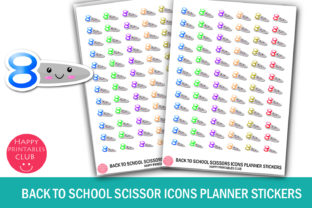
Back to School Scissor Icons Stickers
There is something quietly satisfying about a well-organized planner. The rhythm of daily tasks, the visual clarity of deadlines, and the small creative touches that make a calendar feel less like a chore and more like a personal project. Back to School Scissor Icons Stickers brings that exact energy to your planning routine. These are not just stickers. They are tiny functional accents that help you mark, decorate, and navigate your weeks with intention.
If you have ever stared at a blank planner page and wished for a quick visual cue to separate tasks, highlight an event, or simply add a bit of color, these scissor icons offer an elegant solution. With a compact size of 0.5 x 0.5 inches per sticker and a full sheet measuring 4 x 5.5 inches, the set includes both JPEG, PNG, and PDF formats inside a single ZIP folder. That means you can print, cut, and place them wherever they fit your workflow. No physical product ships to you—this is a digital download, so the control over how they look, how many you use, and where they appear rests entirely in your hands.
Visual Personality and Design Appeal
The first thing you notice about these scissor icons is their playful yet clean aesthetic. They lean into a friendly school-themed motif without feeling childish or overly themed. The scissors are rendered in a way that feels recognizable but stylized—simple enough to work across a wide range of planner layouts, but distinctive enough to add a personal touch. The colors are bright and varied, which makes them ideal for color-coding or for adding pops of energy to neutral-toned pages.
This set works because it does not try to do too much. The icon itself is universal: scissors suggest cutting, separating, editing, or preparing. In a planner context, you might use them to mark days when you have a project deadline, a crafting session, or even a reminder to back up files or organize digital clutter. The visual metaphor is clear without needing explanation, which is the hallmark of good functional design.
The sticker size—half an inch square—is deliberate. It is large enough to catch the eye when placed next to a task or event, but small enough that you can cluster several together or use them in margins without overwhelming the page. This balance between presence and subtlety makes the icons versatile across different planning styles, from minimalist bullet journals to more elaborate creative diaries.
Where These Stickers Shine Across Projects
Because these are digital files, the range of applications extends far beyond a single planner. Here are some real-world uses where the Back to School Scissor Icons Stickers can add both function and flair.
- Planner and bullet journal layouts: Use them to denote days when you have editing work, creative sessions, or administrative tasks. The icon naturally signals something related to cutting, separating, or finalizing.
- Scrapbooking and memory keeping: Pair them with photos from a craft fair, a sewing project, or a back-to-school memory page. The visual continuity helps tie together themed spreads.
- Digital or printed calendars: Drop the PNG into a digital planner or print the PDF on sticker paper for physical use. The format flexibility makes it easy to adapt across devices and workflows.
- Small business inventory or task tracking: If you run a creative business, these stickers can mark production days, shipping prep, or material restocking. They bring a cohesive visual language to your operations.
- Gift tags, cards, and stationery: The playful school theme works well for teacher gifts, graduation notes, or crafty thank-you cards. The icon adds a layer of personality without requiring extra design work.
The real strength here is that you are not locked into one use case. A single sheet of stickers can serve multiple purposes across different projects, which makes the digital format especially valuable for creatives who work across various media.
Readability, Visual Hierarchy, and Brand Perception
Stickers are often thought of as decoration, but they also play a role in how information is organized on a page. When you place a consistent icon next to certain entries, you create a visual shorthand that your brain recognizes over time. The Back to School Scissor Icons Stickers can help establish that kind of visual hierarchy in your planner or notebook.
For example, if you are a freelance designer juggling multiple client projects, you might use these stickers to mark days when you have revisions or final edits due. Over the course of a month, seeing the icon in recurring positions helps you identify patterns in your workload. The sticker becomes more than decoration—it becomes part of your decision-making system.
Similarly, if you are a small business owner using a physical or digital planner to track content publishing, product launches, or team tasks, a consistent icon set contributes to a professional and organized brand perception. Even if you are the only person using the planner, the act of using a deliberate visual system reinforces a sense of structure. That tiny psychological cue can make the difference between feeling scattered and feeling in control.
For creative professionals, this kind of asset also helps maintain consistency across multiple touchpoints. Whether you are using the stickers in a meeting notebook, a creative journal, or a shared project board, the uniform design language ensures that the visual identity stays cohesive. This is the same principle that drives effective brand identity work: repetition of visual elements builds recognition and trust.
Practical Guidance for Choosing and Using This Sticker Set
When you evaluate whether this sticker set fits your workflow, there are a few practical considerations worth thinking through.
Project fit. Ask yourself what kind of tasks or events you most often track. If your work involves editing, design, content creation, or hands-on craft projects, the scissor icon will feel intuitive. If your planning revolves around more abstract themes, consider pairing this set with other icon stickers or hand-drawn symbols to broaden the range of meanings.
Testing placement and sizing. At 0.5 x 0.5 inches, these stickers leave room for your own writing. Try placing them at the start of a task line, next to a check box, or in the corner of a date cell. If you prefer a more minimalist look, use them sparingly on key dates. If you love visual busyness, cluster them with other icons to create themed sections.
Format and printing. Because you receive JPEG, PNG, and PDF files, you have flexibility. The PNG version is excellent for digital planners in apps like GoodNotes or Notability. The JPEG and PDF are ideal for printing on sticker paper or even regular paper with adhesive backing. Just be aware that monitor colors can vary slightly from the final printed output, so test a single sheet before printing a batch.
Pairing with other design assets. These stickers work well alongside handwritten fonts, clean sans serif typefaces, or simple geometric shapes. If you are building a themed planner spread, consider using a handwritten font for headers and a sans serif font for body text, with the scissor icons acting as visual accents. The combination creates a layered look that feels both personal and structured.
For those who work with modern typography and design assets regularly, this sticker set can also serve as a quick visual reference in mockups or concept boards. Drop a PNG into a layout to simulate where a finished physical version would appear. It helps bridge the gap between digital planning and physical production.
Readability considerations. Because the stickers are colorful and detailed, avoid placing them directly over text that you need to read. Use them in margins, next to bullet points, or as replacements for traditional bullet symbols. This preserves the readability of your entries while still adding the visual benefit of the icon.
Commercial Licensing and Usage Rights
One of the most practical concerns when using any digital asset is what you are allowed to do with it. The Back to School Scissor Icons Stickers is sold as a digital download for personal use. That means you can print them for your own planner, include them in personal notebooks, and use them in creative projects that are not sold commercially. If you are a small business owner using them purely for internal planning—such as in a team calendar or personal work binder—that falls within personal use as well.
If you are considering reselling the stickers as part of a product, or incorporating them into items you sell, you would need to verify the specific licensing terms provided with your purchase. For most creatives and hobbyists, the intended use is straightforward: these are tools to organize and beautify your own planning systems.
Keep in mind that because it is a digital download, no physical product will be shipped. You have immediate access after purchase, which is convenient when you need a fresh sheet of icons quickly. Store the files in a folder that is easy to find, and label the sheet size (4 x 5.5) so you remember the dimensions when printing.
A Practical Addition to Your Creative Toolkit
In a world where digital tools dominate, there is still something grounding about physical planning. Stickers like these bring a tactile, visual layer to the process. The Back to School Scissor Icons Stickers offers a focused, functional icon that fits naturally into a wide variety of planning styles. It does not demand much from you—just a place in your layout and a consistent intention behind its use.
Whether you are a long-time bullet journaler, a busy parent managing a family calendar, or a creative professional tracking multiple streams of work, a small visual cue can make planning feel less like maintenance and more like progress. And when that cue comes in a colorful, well-designed package, it makes the act of planning just a little more enjoyable.