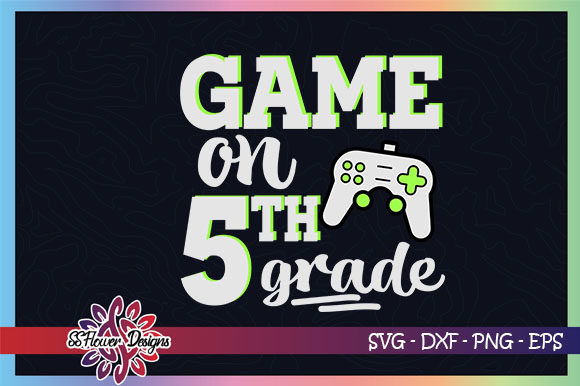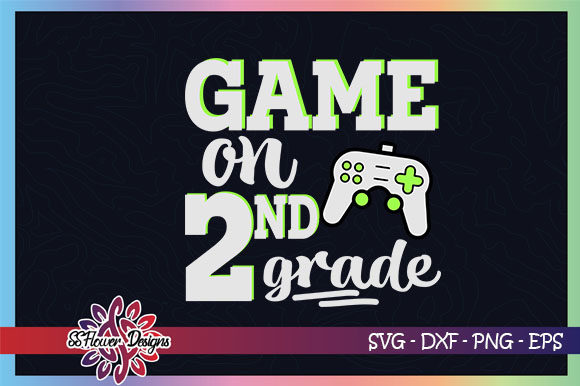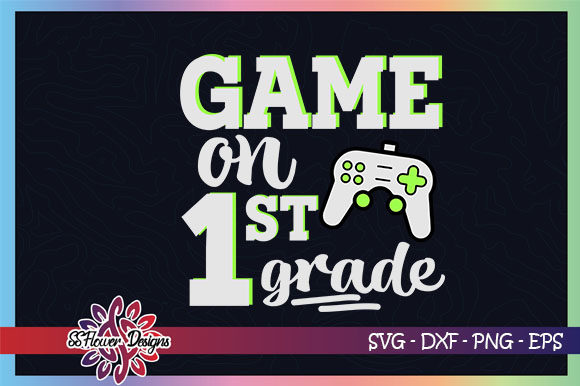
Game On, Back to School 1st Grade
Starting first grade is a big milestone, and the Game on, Back to School 1st Grade digital illustration set gives you creative control over celebrating it. Whether you are a parent making a custom shirt, a teacher decorating a classroom, or a small business owner looking for a fresh design to sell, this collection offers ready-to-use files in multiple formats. The set includes SVG, PNG (300 PPI), DXF, and EPS files, so you can work with your preferred software and cutting machine.
These are not just static images. The files are designed for cutting machines such as Cricut Design Space, Silhouette Studio, Sure Cuts A Lot, and Canvas. You can cut the design on vinyl to iron onto clothing, apply it to a glass surface, or even convert the file for embroidery on fabric. The compressed WinZip folder contains one file as shown in the product photo, and you will need to unzip it after download. No watermark appears on your file.
This article walks through what this set includes, why different people might find it useful, and how to decide if it matches your project needs and skill level.
What exactly is Game on, Back to School 1st Grade?
At its core, this is a digital design package that captures the excitement of entering first grade with a bold, sporty theme. The phrase Game On pairs with first-grade imagery, making it ideal for projects that feel energetic and motivational. You receive editable vector files (SVG, EPS) and high-resolution raster files (PNG, DXF), all prepared for cutting or printing.
The SVG and DXF formats are the most relevant if you own a cutting machine. You can upload them directly into your cutting software, adjust size, layer colors, and send the design to your cutter. The PNG file comes at 300 PPI, which means crisp prints if you want to make stickers, cards, or posters. The EPS file works well for advanced vector editing in programs like Adobe Illustrator or Inkscape.
Because the files are editable, you retain control over colors, scale, and placement. That flexibility matters whether you are making one shirt for your child or fifty for a school event.
Why different audiences might care about this set
Not everyone approaches a digital design with the same goals. A beginner may worry about compatibility and ease of opening the files. A professional may care more about commercial license terms and vector quality. An educator might focus on classroom decoration that is durable and easy to produce. A small business owner needs something that looks polished and can be produced reliably at scale.
Here is how the Game on, Back to School 1st Grade set serves each perspective.
Beginners and hobbyists
If you are new to using SVG files with a Cricut or Silhouette, this set is straightforward. There are no complex layers or hidden elements. You unzip the folder, pick the SVG file, and import it into your design space. The design is clean, so you can practice weeding vinyl or testing heat press settings without frustration.
Because the files are already formatted for cutting software, you do not need to learn vector editing to get a good result. That saves time and reduces the learning curve. For a parent making a back-to-school shirt for a first grader, this is a project you can finish in an evening.
One practical tip: after unzipping, keep the PNG version as a reference. It shows you exactly how the design should look, so you can confirm your cut settings and layer alignment before pressing.
Experienced creators and professionals
If you already run a small shop selling custom apparel or paper goods, you likely value consistency and speed. The EPS and SVG formats let you tweak the design in vector software before cutting. You can change colors to match a school’s palette or resize the design for different product types without losing sharpness.
Since the files are high quality, you can scale them up for large wall decals or down for mini stickers. The 300 PPI PNG works for print-on-demand products such as tote bags or mugs, where raster resolution matters. For embroidery enthusiasts, converting the SVG to a compatible stitch file is possible, provided you have digitizing software. The clean outlines in the vector file reduce manual cleanup during conversion.
For professionals, the lack of a watermark and the editable nature of the files mean you can integrate the design into your existing workflow with minimal friction. Just be aware that once you alter or convert the file, the original quality is no longer guaranteed. Test a small run before committing to large production.
Educators and school staff
Teachers and administrators often need classroom decorations, bulletin board headers, or spirit wear on a tight budget. This design can be cut from adhesive vinyl for classroom doors, windows, or whiteboards. The sporty Game On theme fits well with growth mindset messages and the energy of a new school year.
Because the file is editable, you can add student names or room numbers using your cutting software. The PNG version works for printing large posters if you have access to a wide-format printer. Keep in mind that the file you receive is one design as shown in the photo, so if you need multiple variations, you will need to edit the vector yourself or purchase additional sets.
For a first grade teacher making a welcome bulletin board, this design can be cut from colored cardstock using a die-cutting machine or by hand with a craft knife if you have the SVG as a template.
Small business owners and entrepreneurs
If you sell handmade goods online or at local markets, the Game on, Back to School 1st Grade set gives you a ready-to-sell design for the back-to-school season. You can produce shirts, tote bags, hats, or decals and list them in your shop. Because the design is popular with parents of first graders, the timing aligns with seasonal demand.
For production efficiency, the SVG format works directly with most cutting machines. You can batch cut multiple layers if your software supports it. The compressed file is easy to store and organize across different projects. Just ensure that your commercial use is covered by the license terms provided with your purchase, as policies vary by seller.
One practical consideration: since the file is delivered as one design per purchase, you will need to buy additional sets if you want color variations or different phrasing for other grades. That is a factor to include in your pricing and inventory planning.
Key factors to consider before buying
Before you click purchase, think about your specific needs across a few dimensions.
Ease of use
If you are not comfortable unzipping files or importing SVG into design software, check that you have a basic workflow in mind. Most cutting software has an import function that works with SVG. The included PNG is a helpful fallback if you only need a print-and-cut project. Beginners should watch a quick tutorial on unzipping and uploading to Cricut Design Space or Silhouette Studio before starting.
Quality and file integrity
The files are delivered at high resolution (300 PPI for PNG) and in vector formats that do not pixelate. However, the seller states that there is no guarantee of quality once you alter, edit, or convert the files. That means if you modify the SVG heavily in a vector editor, the result may not match the original precision. For best results, keep a backup of the original unedited file and work on a copy.
Flexibility and customization
You can resize, recolor, and combine the design with other elements. The SVG format supports layers, so you can separate pieces if you need to cut them from different vinyl colors. For embroidery conversion, the clean lines help, but you will need digitizing software to create stitch files. The design is not pre-digitized, so factor in that extra step if embroidery is your primary use.
Reliability for production
If you are making multiple items, test cut a single piece first. Check that the cut lines are clean and that the design fits your material. The file is compressed in WinZip, so after downloading, unzip it on your computer before transferring to your cutting software. Avoid editing the file on a mobile device, as format compatibility can be inconsistent.
Does this set match your goals?
Here is a simple way to decide. If you need one versatile design for first grade projects and you own a cutting machine, this set is a practical choice. It saves you the time of creating a design from scratch and gives you formats that work across different tools. If you need multiple grade levels or a completely different theme, you will want to look for additional sets.
For a parent making a single shirt for a child, the ease of use and clean design make this a low-risk purchase. For a business owner planning a full product line, test the file with your production setup and confirm that the design scales well across your intended items. For a teacher, the flexibility to resize and use the PNG for print projects adds extra value beyond vinyl cutting.
Whatever your background, the Game on, Back to School 1st Grade digital illustration set offers a solid starting point for bringing that first day energy into your work. Take a few minutes to unzip the files, open them in your software, and run a small test project. That hands-on trial will tell you more than any description can about whether it fits your workflow.